2026-08-05 · 5 min read · PicsForm Editorial
How to remove and replace a passport photo background
Replace passport photo backgrounds to white or light grey without violating identity rules. What governments allow and what gets rejected.
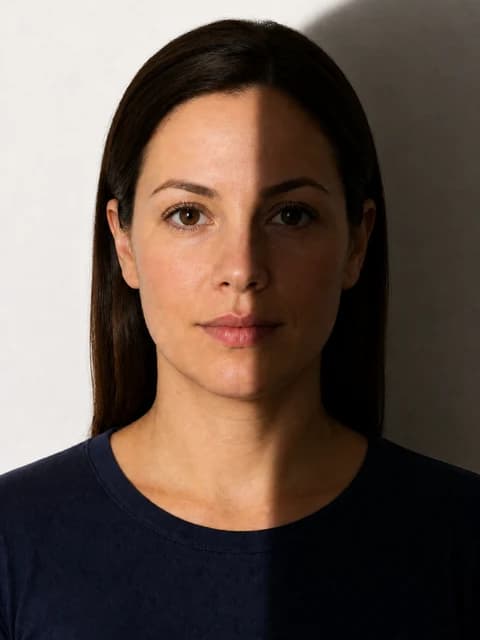
Is background replacement allowed?
Most authorities permit plain digital backgrounds if the face is unaltered and edges are clean.
More details
Most authorities permit plain digital backgrounds if the face is unaltered and edges are clean. Generative AI that changes facial features is not acceptable.
Correct target colours
- US / India / UAE — white
- UK passport — cream or light grey
- Schengen — light grey
- Never use blue, red, or gradient studio backdrops
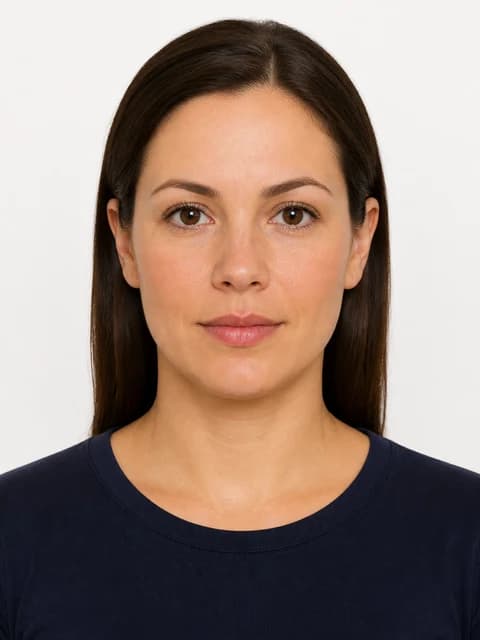
Avoid halos and cut-out artifacts
Cheap removers leave fringing around hair.
More details
Cheap removers leave fringing around hair. PicsForm segments the subject and fills to the document hex value, then scores uniformity in verify.
Visual examples
How PicsForm fits your workflow
PicsForm matches photos to published requirements. This is not legal or immigration advice and does not guarantee application approval. Always confirm current rules on the official portal.