India · Make a US visa / DS-160 photo from India (2×2 in, ≤240 KB)
Make a US visa photo from India
A wrong US visa photo can delay an interview you already paid for.
Read more
A wrong US visa photo can delay an interview you already paid for. From India, CEAC DS-160 expects the same 2×2 inch (51×51 mm) square as US visa guidance: white background, head height about 50–69%, eyes in band, JPEG under 240 KB. PicsForm treats US visa as original-only — we resize and check; we do not digitally replace your backdrop.
Short answerA US Visa / DS-160 photo must be 51 × 51 mm (2 × 2 in), usually 600 × 600 pixels at 300 DPI, with a white background and head height 50–69% of the frame. Full rules
Expected look · sample portraits
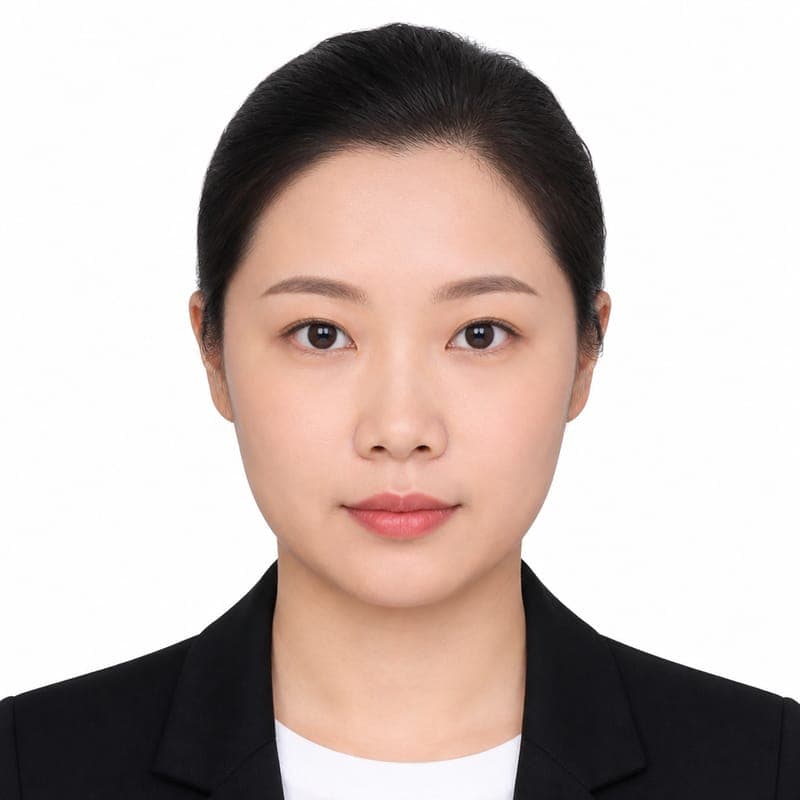

Illustrative sample faces — not real applicants. Your download keeps your own identity pixels.
Exact photo specifications
- Print size
- 51 × 51 mm
- Digital pixels
- 600 × 600 px @ 300 DPI
- Head height
- 50–69% of frame
- Eye line from bottom
- 56–69%
- Background
- white (#FFFFFF)
- Expression
- Neutral expression required
- Glasses
- Not allowed
- Head covering
- Not allowed (except religious/medical where policy permits)
- Typical max file size
- 240 KB
- Common print
- 2 × 2 in
US Department of State / CEAC: 2×2 in (51×51 mm), typically 600×600 px @ 300 DPI, white background, neutral expression, no glasses. Digital upload for DS-160 must be JPEG and is commonly capped at 240 KB. The photo must be a recent unaltered likeness — do not submit a digitally composited studio backdrop. Confirm the live CEAC upload rules when you file.
Official reference: government source
Composition checklist
- Face camera straight on — both eyes open, no tilt.
- Head 50–69% of frame.
- Plain white background.
- Neutral, closed mouth.
- Remove glasses (unless medical exception).
- No filters, beauty retouch, or group crops.
4 steps in PicsForm
- Create with US Visa / DS-160
- Upload a clear portrait
- Fix hard failures on the report
- Download digital or Print Ready
We match published rules — not a government acceptance guarantee.
FAQ
What size is a US Visa / DS-160 photo?
51 × 51 mm (2 × 2 in). Digital export in this catalog is 600 × 600 px at 300 DPI.
What is the US Visa / DS-160 photo size in pixels?
600 × 600 pixels at 300 DPI in the PicsForm catalog. Re-check the live portal if it publishes a different pixel cap.
Can I wear glasses in a US Visa / DS-160 photo?
Not permitted
Can I smile in a US Visa / DS-160 photo?
Neutral expression, mouth closed
What background does a US Visa / DS-160 photo need?
Plain white (#FFFFFF). Keep it even — no pattern, shadow, or extra people.
What head size does US Visa / DS-160 require?
Chin-to-crown should occupy 50–69% of the photo height (1.00 in (25.5 mm) to 1.38 in (35.2 mm)).
Can I take a US Visa / DS-160 photo with my phone?
Yes, if the camera is at eye level, the face is sharp, lighting is even, and the crop matches the published size. PicsForm can check a phone portrait against this document’s catalog rules. It cannot invent missing shoulders or guarantee an embassy will accept the file.
Can I use an old US Visa / DS-160 photo?
Most authorities want a recent likeness (often within six months) that still looks like you. Reuse an old file only if it still matches the current size, background, and appearance rules.
Applying from India (DS-160)?
CEAC file-size tips + original-only US visa flow.