2026-08-15 · 8 min read · PicsForm Editorial
Why Canadian passport photos are 50×70 mm
Canadian passport photos use 50×70 mm — not 35×45. IRCC head-size rules and how to avoid the wrong crop at US border studios.
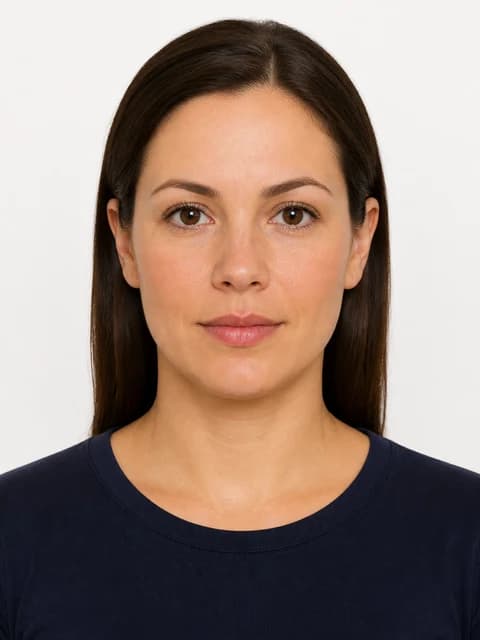
The unique IRCC format
50 mm wide × 70 mm tall with 31–36 mm chin-to-crown — a smaller head relative to frame height than UK or Schengen 35×45 photos.
Visa vs passport
Canadian visa / TRV applications use 35×45 mm instead.
More details
Canadian visa / TRV applications use 35×45 mm instead. Pick ca-passport vs ca-visa explicitly in PicsForm.
Visual comparison: 50×70 vs 35×45
A 35×45 Schengen crop looks taller relative to head size than IRCC's 50×70.
More details
A 35×45 Schengen crop looks taller relative to head size than IRCC's 50×70. US border-area studios often default to 2×2 or 35×45 — always say 'Canadian passport 50 by 70 millimetres' when printing.
Head-size band explained
- Chin to crown: 31–36 mm within the 70 mm frame height
- Face must occupy 60–80% of photo height per IRCC guidance
- Shoulders visible; centred and facing camera
- Plain white or light-coloured background
Where Canadians get rejected
Wrong aspect ratio is the #1 fixable error — especially when reusing a US 2×2 or UK 35×45 file.
More details
Wrong aspect ratio is the #1 fixable error — especially when reusing a US 2×2 or UK 35×45 file. Run /verify with ca-passport selected before Service Canada or online renewal upload.
Reference: Canadian Passport
From the PicsForm catalog — confirm on the official portal.
- Document: Canadian Passport
- Country: Canada
- Dimensions (mm): 50 × 70
- Pixels @ DPI: 591 × 827 @ 300
- Head height: 44–51%
- Eye line from bottom: 55–70%
- Background: white
- Official source: https://www.canada.ca/en/immigration-refugees-citizenship/services/canadian-passports/photos.html
Frequently asked questions
Can I use a US 2×2 photo for a Canadian passport?
No — dimensions and head-size bands differ. Export a dedicated 50×70 mm file from PicsForm.
How PicsForm fits your workflow
PicsForm matches photos to published requirements. This is not legal or immigration advice and does not guarantee application approval. Always confirm current rules on the official portal.