2026-08-25 · 8 min read · PicsForm Editorial
Why US passport photos must stay original-only in 2026
US State Department 2026 guidance expects an unaltered original passport photo. Learn why digital backdrops and AI face edits fail, and how PicsForm only resizes to official 2×2 pixels.
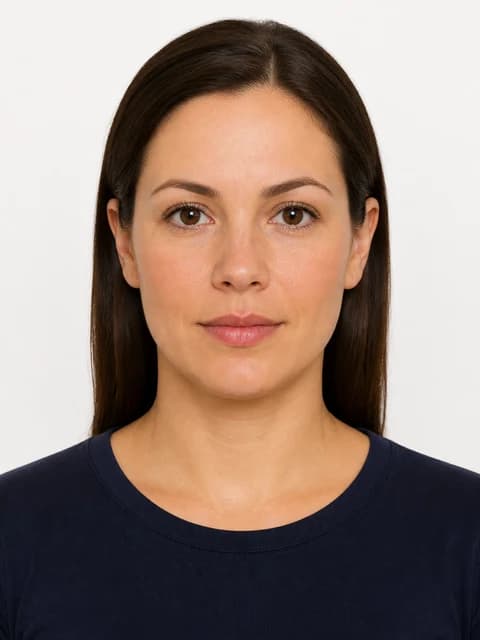
What “original-only” means
For US passport, US visa (DS-160), and Green Card photos, an original photo means your face and a real plain background as captured by the camera —…
More details
For US passport, US visa (DS-160), and Green Card photos, an original photo means your face and a real plain background as captured by the camera — not a generated studio wall and not a beauty-filtered face. Authorities can refuse images that look digitally composed even when the crop is a perfect 2×2 inches.
Why AI passport apps create risk
Tools that invent a white backdrop or reshape facial features can produce a file that passes casual visual review but fails identity checks later.
More details
Tools that invent a white backdrop or reshape facial features can produce a file that passes casual visual review but fails identity checks later. PicsForm therefore disables background replacement and generative face edits for those US documents and only resizes to the official pixel grid.
How to shoot a compliant original
- Stand against a real white or off-white wall with even front light
- Use the rear phone camera at eye level, about 1.5–2 m away
- Neutral expression, both eyes open, no glasses for routine cases
- Upload the unaltered file and let PicsForm resize to 600×600 px
Where to read the full policy mapping
See the dedicated problem page for catalog mapping, FAQs, and official State Department links: /us-passport-photo-ai-rules-2026.
More details
See the dedicated problem page for catalog mapping, FAQs, and official State Department links: /us-passport-photo-ai-rules-2026. Confirm the live travel.state.gov photographs page before you file.
Visual examples

Reference: US Passport
From the PicsForm catalog — confirm on the official portal.
- Document: US Passport
- Country: United States
- Dimensions (mm): 51 × 51
- Pixels @ DPI: 600 × 600 @ 300
- Head height: 50–69%
- Eye line from bottom: 56–69%
- Background: white
- Official source: https://travel.state.gov/content/travel/en/passports/how-apply/photos.html
Frequently asked questions
Can PicsForm replace my US passport background with white?
No. For US passport, US visa, and Green Card we keep original-only processing — retake against a real plain wall instead.
Is a “Ready” score the same as government approval?
No. Ready means the photo matched published specs we checked. Issuing authorities make the final decision.
How PicsForm fits your workflow
PicsForm matches photos to published requirements. This is not legal or immigration advice and does not guarantee application approval. Always confirm current rules on the official portal.