2026-08-13 · 9 min read · PicsForm Editorial
Step-by-step DS-160 passport photo upload
Complete DS-160 photo guide: size, KB limit, upload steps, common CEAC errors, and how to prepare your JPEG before the visa application.
Before you open CEAC
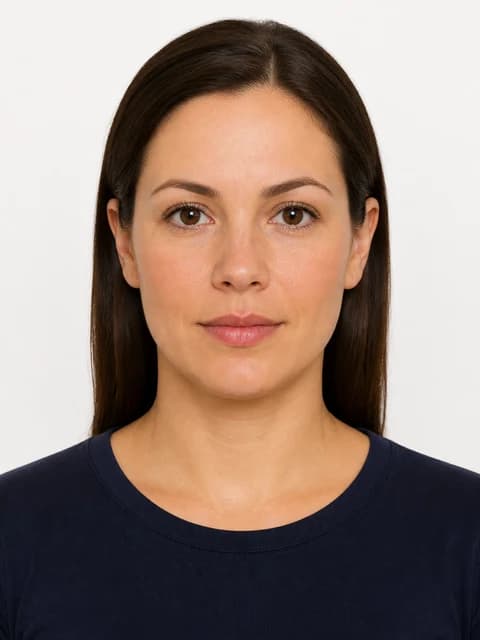
Prepare a 2×2 inch (51×51 mm) JPEG under the current KB ceiling (~240 KB in our catalog).
More details
Prepare a 2×2 inch (51×51 mm) JPEG under the current KB ceiling (~240 KB in our catalog). White background, neutral expression, no glasses. Photo must be recent (within six months per State Department guidance).
Upload steps in DS-160
- Complete personal information sections until photo upload appears
- Select JPEG file from disk — not phone screen photo of a print
- If rejected, read CEAC error text (size vs dimensions vs corrupt file)
- Re-export from PicsForm with us-visa document selected
After successful upload
CEAC shows a preview thumbnail.
More details
CEAC shows a preview thumbnail. Continue the application and save frequently. You cannot substitute a different photo after submission without starting a new DS-160 in many cases.
Interview day
Some posts request a printed copy even after digital upload.
More details
Some posts request a printed copy even after digital upload. Carry a print sheet as backup.
Official source
travel.state.gov — Photos for US visas.
More details
travel.state.gov — Photos for US visas. Last verified 2026-08-18 in PicsForm catalog.
Reference: US Visa / DS-160
From the PicsForm catalog — confirm on the official portal.
- Document: US Visa / DS-160
- Country: United States
- Dimensions (mm): 51 × 51
- Pixels @ DPI: 600 × 600 @ 300
- Head height: 50–69%
- Eye line from bottom: 56–69%
- Background: white
- Official source: https://travel.state.gov/content/travel/en/us-visas/visa-information-resources/photos.html
Frequently asked questions
Can I reuse my US passport photo?
If dimensions, background, recency, and appearance match and the file meets CEAC KB limits, often yes — but export a fresh JPEG sized for us-visa.
How PicsForm fits your workflow
PicsForm matches photos to published requirements. This is not legal or immigration advice and does not guarantee application approval. Always confirm current rules on the official portal.